


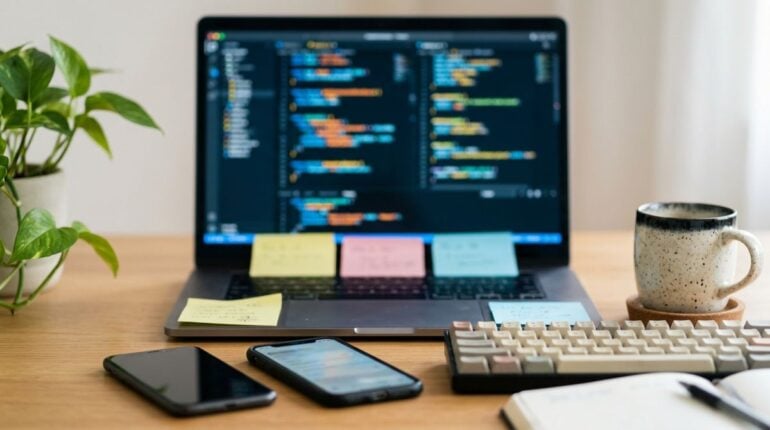
Professional travel often takes software engineers far from quiet home offices and dedicated team spaces. When urgent production bug fixes or routine server maintenance tasks arise while you are checking into a guest room, the hospitality environment suddenly becomes your primary operations center. Hotel rooms offer great comfort, yet they also introduce variables such as fluctuating wireless signals, shared subnets, and improvised desk spaces that can complicate complex development workflows.
Managing cloud infrastructure and writing production code on the road requires deliberate preparation. Rather than waiting for a critical service disruption while unpacking your bags, setting up an orderly digital and physical workspace allows you to work calmly and efficiently. By treating the hotel room as an extension of your development environment, you can maintain continuous delivery schedules without sacrificing the enjoyment of your trip.
Preparing an Independent Local Development Environment
Relying entirely on remote cloud connections while seated at a hotel desk can lead to frustration when network throughput dips during peak evening hours. A practical strategy is to ensure your workstation can run core application stacks locally without requiring constant round-trip communication to remote servers. By configuring containerized services and caching necessary language packages before arriving at your destination, you can continue debugging code even if the local wireless signal drops unexpectedly.
Local mocks and lightweight database instances allow you to replicate staging environments directly on your machine. When you minimize external network dependencies, editing configuration files, compiling binaries, and running automated test suites become fast and predictable operations. This self-contained setup provides peace of mind when hotel bandwidth fluctuates or when guest portal authentication sessions time out during long coding stretches.
Adopting clean architecture patterns also makes software far easier to diagnose when you are away from your primary team. For engineers looking to strengthen their technical foundation and explore structured approaches to building reliable applications, visiting educational software portals like primrose-soft.com offers practical guidance on tackling complex development challenges and designing resilient codebases that handle unexpected disruptions smoothly.
Securing Connections and Managing Terminal Latency
Hotel networks are open environments where numerous guests share identical access points. Because software engineers handle sensitive credentials, database keys, and private code repositories, protecting every outbound connection is an essential operational requirement. Connecting through an encrypted virtual private network before initiating any administrative sessions prevents unauthorized parties on the local network from observing packet metadata or intercepting unencrypted protocol handshakes.
Beyond baseline encryption, interactive remote shell connections often struggle with the latency inherent in shared hospitality broadband. Traditional terminal connections can freeze or drop when hotel access points rebalance guest traffic. Using modern session utilities that preserve terminal state across network drops helps maintain active console work even if your wireless link resets. These tools keep your remote editing sessions alive in the background, substantially reducing the disruption of terminated connections.
Maintaining security on the road extends beyond your primary development laptop to every connected peripheral you carry. While keeping your computer isolated is crucial, you should also apply similar defensive habits to your mobile devices. Reviewing our earlier guide on securing your smartphone on hotel Wi-Fi will help you protect handheld devices from common wireless vulnerabilities while you travel.
Keeping Up with Hardware and Connectivity Advances
Modern traveling engineers benefit from lightweight hardware that simplifies hotel room setups. Compact travel routers, for example, allow you to create a secure personal subnet within your room. By authenticating the portable router once through the hotel captive portal, all your secondary devices, development boards, and testing phones can share the same protected connection without individual portal logins.
Understanding emerging equipment trends makes it easier to select durable travel gear that withstands life on the road. Following dedicated technology review hubs such as Techpreds helps developers evaluate the latest portable hardware, external monitors, and mobile computing innovations before packing their bags for an extended trip. Staying informed about current device developments helps ensure that your mobile kit remains capable of handling demanding technical workloads.
Investing in reliable multiport chargers and durable data cables further reduces travel friction. A single universal charging block capable of delivering sufficient wattage can power your laptop, mobile devices, and peripherals simultaneously from a single bedside or desk wall outlet. This streamlined hardware footprint leaves more room in your luggage and cuts down on setup time whenever you arrive in a new room.
Best Practices for Deploying Code from Hotel Desks
Deploying software updates to production environments from a hotel room demands extra discipline. Network instability or brief packet loss during a manual deployment can leave services in an inconsistent state. Relying on automated deployment pipelines rather than pushing changes directly from a local terminal helps maintain release integrity, regardless of the quality of your room connection.

To reduce operational risk when publishing updates while traveling, incorporate these practical steps into your deployment routine:
- Trigger builds through automated continuous integration pipelines instead of executing manual commands from your local machine.
- Verify that staging environments complete their automated test suites before approving production rollouts.
- Maintain immediate access to rapid rollback procedures should unexpected anomalies occur after release.
- Require multi-factor authentication tokens or secure hardware keys for every production infrastructure change.
Once an automated pipeline handles the release process, your local network connection no longer acts as a single point of failure. You can initiate a deployment, monitor the progress through web dashboards, and verify telemetry data without worrying that a sudden signal drop will corrupt your server configuration. If an issue arises, automated rollbacks restore previous stable builds without requiring frantic manual terminal interventions.
Creating an Ergonomic Work Routine in Guest Rooms
Hotel desks and chairs are designed primarily for brief writing sessions rather than marathon coding sessions. Poor posture, inadequate desk height, and harsh room lighting can quickly lead to physical fatigue and diminished concentration. Taking a few moments upon check-in to adjust your work area makes a noticeable difference during extended development sessions.
Raise your laptop display closer to eye level by placing it on an adjustable portable stand or a stable stack of books. Pairing the elevated screen with a compact external keyboard and mouse keeps your wrists in a neutral position while typing. If the room chair lacks adequate lumbar support, placing a firm decorative pillow behind your lower back can provide immediate comfort and help maintain upright posture throughout the workday.
Scheduling deliberate pauses between focused debugging sprints is equally valuable. Stepping away from the screen to stretch, hydrate, or take a short walk around the property resets your mental focus and relieves eye strain. By combining a dependable technical setup with thoughtful ergonomic adjustments, you can handle demanding engineering responsibilities with clarity while enjoying the unique pleasures of travel.