


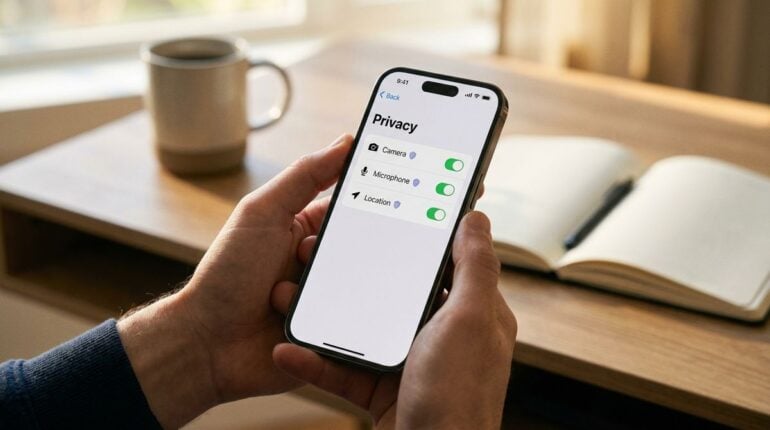
After a long travel day, walking into a comfortable hotel room brings a welcoming sense of relief. Once luggage is set down and shoes are kicked off, the natural routine for most guests involves pulling out a smartphone to check reservations, look up local dining options, or stay in touch with family. Connecting to the property Wi-Fi network is almost automatic, providing an immediate way to browse without exhausting mobile cellular allowances.
While hotel internet makes travel far more convenient, hospitality networks come with unique structural realities that deserve careful attention. Unlike your private home router, a hotel network is designed to accommodate hundreds of unfamiliar guests simultaneously. Without basic precautions, connecting to an open wireless network can expose everyday browsing habits to unwanted scrutiny. Fortunately, securing your smartphone does not require complex technical skills, just an understanding of simple settings and smart digital habits.
Understanding Open Hotel Wireless Connections
Hotel wireless setups are engineered to prioritize guest convenience above strict isolation. Properties want travelers to connect quickly without having to contact the front desk for intricate passwords or security certificates. Because of this open architecture, standard hotel networks often function like large digital public squares where multiple devices share the same local communication paths.
On standard home connections, traffic between your phone and the router remains encrypted behind a private security key. On shared public networks, unencrypted transmissions can theoretically be detected by other hardware linked to the same access point. This does not mean every hotel stay is inherently risky, but it does mean your smartphone should rely on its own built-in defenses rather than trusting the surrounding hotel network infrastructure.
Gaining a clear grasp of basic networking concepts helps take the mystery out of digital safety. When you browse educational sites like technolik.com, learning how wireless traffic travels between your phone and a shared router becomes straightforward and approachable. Building this fundamental digital awareness gives travelers the confidence to navigate public connections responsibly while staying at hotels anywhere in the world.
Adjusting Crucial Smartphone Network Settings
Before you tap the property network name on your screen, taking a brief moment to adjust several settings on your phone provides an effective layer of defense. One of the most important features on modern mobile operating systems is hardware address randomization. By default, every device carries a unique identifier that can allow network equipment to track hardware movements across different wireless zones. Enabling private address mode prevents network monitors from compiling a consistent profile of your device.
Another critical setting is automatic network connection. Smartphones frequently search for familiar open networks and join them without asking for permission. In busy hotel corridors or tourist centers, rogue hotspots with generic names can mimic legitimate property connections. Disabling the auto-join feature ensures that your handset only links to wireless routers when you explicitly choose to initiate the connection.
For travelers carrying Android devices, specific system menus allow you to enforce randomized hardware addresses and restrict background connections for unknown networks. If you want step-by-step walkthroughs for these system tweaks, checking out AndroMods.com provides clear guides tailored specifically for mobile users looking to tighten their handset controls. Taking several minutes to customize these options helps prevent unexpected background data sharing while you unwind in your room.
Best Habits for Safe Hotel Room Browsing
Adjusting device settings lays the groundwork, but your daily habits while connected determine how well your personal information stays protected. Whenever you browse from a hotel room, make sure that websites display a secure protocol icon in the address bar. Secure connections encrypt the data traveling between your browser and the web server, making it virtually unreadable to anyone else monitoring local router traffic.
For sensitive activities like checking bank accounts, managing investment portfolios, or entering payment details for local tour bookings, consider temporarily switching off Wi-Fi and using your mobile cellular data instead. Cellular connections provide closed-circuit encryption directly through mobile carriers, keeping your most critical financial transactions separate from public hospitality networks.
Maintaining safe digital habits is especially valuable for remote professionals who handle confidential files on the road. If your travel routine blends leisure with client projects, our companion article on maintaining digital productivity in hotels offers helpful recommendations for setting up an efficient remote workspace. Pairing productive work habits with sound privacy principles lets you focus on your travel agenda without unnecessary technical distractions.
Essential Checklist Before Connecting to Hotel Wi-Fi
Having a quick routine to follow whenever you arrive at a new property takes the guesswork out of device security. Before settling down to stream a movie or plan the next morning of sightseeing, run through these straightforward preparation measures:

- Verify the official network name directly with front desk signage or room documentation before connecting.
- Turn off nearby device sharing and local file discovery in your phone settings menu.
- Confirm that your mobile operating system and major web browsers have the newest updates installed.
- Activate a trusted virtual private network connection before opening sensitive apps or personal mail.
- Disable automatic connection prompts so your handset never links to unknown public hotspots without approval.
Completing this short sequence takes minimal time during check-in and establishes a solid security foundation for the duration of your stay. When these protective steps become second nature, you can enjoy fast hotel connectivity without worrying about common network vulnerabilities.
Handling Captive Portals and Disconnecting Safely
Most hospitality networks route guests through a captive portal screen that asks for a room number, last name, or an acceptance of terms. While captive portals are standard operating procedure in the hotel industry, be mindful of what information they request. Legitimate hotel splash pages rarely ask for payment details, social security identifiers, or personal passwords simply to grant basic wireless access.
If a hotel portal asks for unusual personal data or prompts you to download a custom security profile to your phone, pause and speak with the front desk staff immediately. Front desk personnel can confirm whether the prompt is legitimate or if your device has encountered a misconfigured network repeater.
When departure day arrives, take one final step to protect your digital footprint before checking out of your room. Open your phone wireless settings, select the property connection, and tap the option to forget the network. Removing past networks prevents your device from broadcasting connection requests to that specific network name in airports, train stations, or future destinations, ensuring your smartphone stays private wherever your travels lead.