


Working as a digital designer or web developer while traveling offers an incredible sense of personal freedom. Swapping a fixed office desk for a quiet hotel room in an unfamiliar city can inspire fresh creative concepts and inject new energy into your daily workflow. At the same time, maintaining a reliable production schedule on the road presents distinct challenges. When client deadlines do not pause for transit days, your hotel room must serve as a dependable temporary digital studio.
Transitioning between different hotel accommodations requires adaptability and preparation. Every property offers a unique room layout, varying desk configurations, and different levels of lighting and ambient sound. By establishing a repeatable routine for setting up your temporary workspace, you can protect your focus, build beautiful online experiences, and still leave plenty of room in your itinerary to discover your destination.
Choosing and Configuring an Ergonomic In-Room Workspace
The first step upon checking into any hotel room is assessing your physical work environment. While comfortable lounge chairs and plush bedding look inviting after hours of transit, working from them quickly strains your posture and drains your focus. Instead, prioritize setting up at the room desk or a sturdy dining table. Position the chair so your arms rest comfortably parallel to the work surface, and place your laptop on an elevated portable stand to bring the screen closer to eye level.
Lighting also plays a critical role when reviewing digital layouts, color palettes, and interface typography. If the desk sits in a dim corner, adjust bedside lamps or reposition portable task lights to brighten the area without causing glare on your screen. Natural daylight from a nearby window can keep your energy steady during long stretches of wireframing, though you should draw sheer curtains if direct sunlight washes out your display.
Power management deserves immediate attention before you begin designing. Locate the nearest electrical outlets and make sure your charging cables reach the desk without creating tripping hazards. If an unexpected hardware failure occurs or you need immediate paper copies of site architecture maps for a client briefing, reviewing our practical guide on handling urgent hotel computing tasks will help you solve unexpected tech bottlenecks smoothly.
Packing Essential Hardware and Digital Media Tools
Traveling light while carrying professional design equipment requires intentional gear selection. A primary laptop capable of running graphic software, local development servers, and code editors forms the core of your mobile setup. To expand your screen real estate without adding heavy bulk to your carry-on luggage, consider packing an ultralight portable external display. A dual-screen arrangement allows you to inspect code on one screen while reviewing live interface designs on the other.
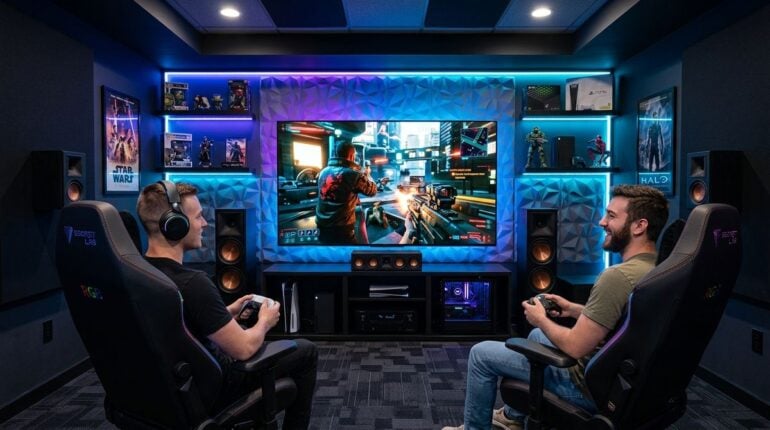
In addition to external displays, compact peripherals can dramatically improve your daily tactile comfort. A slim wireless keyboard and an ergonomic travel mouse reduce wrist fatigue during intense development sprints. High-quality noise-canceling headphones are equally vital, serving double duty by muting corridor chatter during client consultations and delivering immersive sound when unwinding with music or gaming in the evening.
Keeping up with modern gadgets, multi-device chargers, and portable entertainment gear helps you refine your travel pack over time. Reading thoughtful coverage on websearchde.com provides valuable perspective on consumer electronics, filming gear, and hardware releases that can elevate both your professional mobile workstation and your leisure time away from the screen.
Organizing Client Projects and Web Development Workflows
Building and deploying websites while away from a stationary studio demands tidy digital organization. Before departing on a trip, establish clean local development environments and ensure that essential code repositories, design asset libraries, and staging servers are accessible offline or through secure connections. Relying entirely on active internet connectivity for every minor style adjustment or vector export creates unnecessary delays when hotel connections fluctuate.
Clear communication protocols keep clients confident in your progress, regardless of time zone differences. Establish defined windows for messaging and project status updates so you are not tied to your inbox around the clock. By setting expectations early, you can dedicate uninterrupted blocks of time to deep creative design tasks, client site builds, and interface audits.
Staying attuned to current design trends, user experience patterns, and search engine best practices ensures your client work remains competitive. Checking technical tutorials and industry insights on justanotherdeveloper.net gives traveling developers practical guidance on coding clean responsive layouts, improving site performance, and driving organic audience growth for client platforms.
Managing Hotel Connectivity and Digital Asset Security
Hotel Wi-Fi networks vary considerably between boutique countryside inns and urban business towers. When you first connect, verify connection stability before starting large file transfers or staging database migrations. If the wireless signal in your room feels inconsistent, asking the front desk for an alternative room closer to an access point or inquiring about a wired Ethernet connection can resolve connectivity troubles quickly.

Security must remain a primary concern whenever you handle client databases, user credentials, or proprietary source code over public hospitality networks. Always route your traffic through a trusted private network tunnel to encrypt sensitive data transmissions. Furthermore, enable multi-factor authentication across your hosting accounts, domain registrars, and cloud storage providers to protect your digital assets against unauthorized access while traveling.
Creating a Balanced Routine for Work and Exploration
One of the greatest hazards of working from hotel rooms is allowing client projects to consume the entire day, leaving no time to enjoy the travel experience itself. Structuring your schedule into dedicated focus sessions helps preserve clear boundaries between professional responsibilities and personal leisure. When you treat hotel stays with deliberate rhythm, you accomplish your client goals faster and free up your afternoons or evenings for sightseeing.
Implementing consistent daily habits helps maintain mental clarity and project momentum throughout your journey:
- Complete demanding visual design tasks during early morning hours before venturing outdoors.
- Test interactive prototypes across multiple device viewports before submitting progress reports.
- Step away from your desk regularly to explore local neighborhood markets and cafes.
- Perform end-of-day cloud backups so your latest code commits remain secure before travel days.
Working as a traveling web designer combines the thrill of cultural discovery with the satisfaction of independent creative production. By configuring an organized in-room workspace, carrying versatile tech tools, and setting disciplined boundaries around your working hours, your hotel stay can become an inspiring hub for your best digital craftsmanship.